
SEO tip: Spy on your competitor’s content upgrades to see their influence on traffic growth.
How? Ahrefs has a new Content Changes feature that’s like a “WayBackMachine” for SEOs.
Ahrefs now displays historical page content changes in two different tools:
-
Overview – for detailed analysis of a page, including content changes
-
Top pages – for quickly analyzing a bunch of your competitor’s best pages and within that list identify if any of the top performing pages had content changes
Here’s a step-by-step guide on how to use this feature to spy on your competitors and see which improvements led to traffic growth (so you can do the same):
Step 1. Plug in a competitor’s URL in the search bar

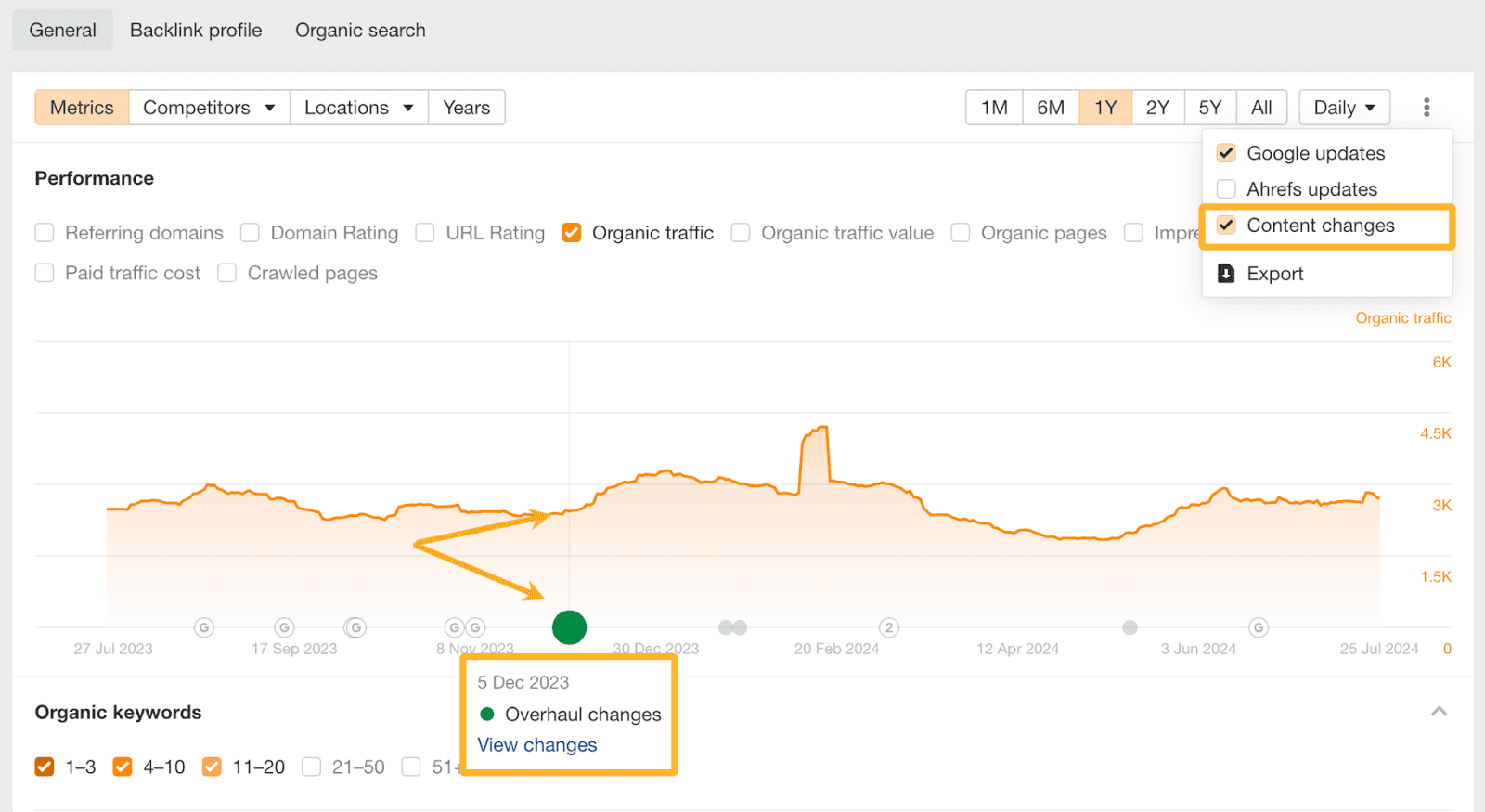
Step 2. Enable Content changes in the Overview chart
See when content updates influenced performance by hovering over the green circles.
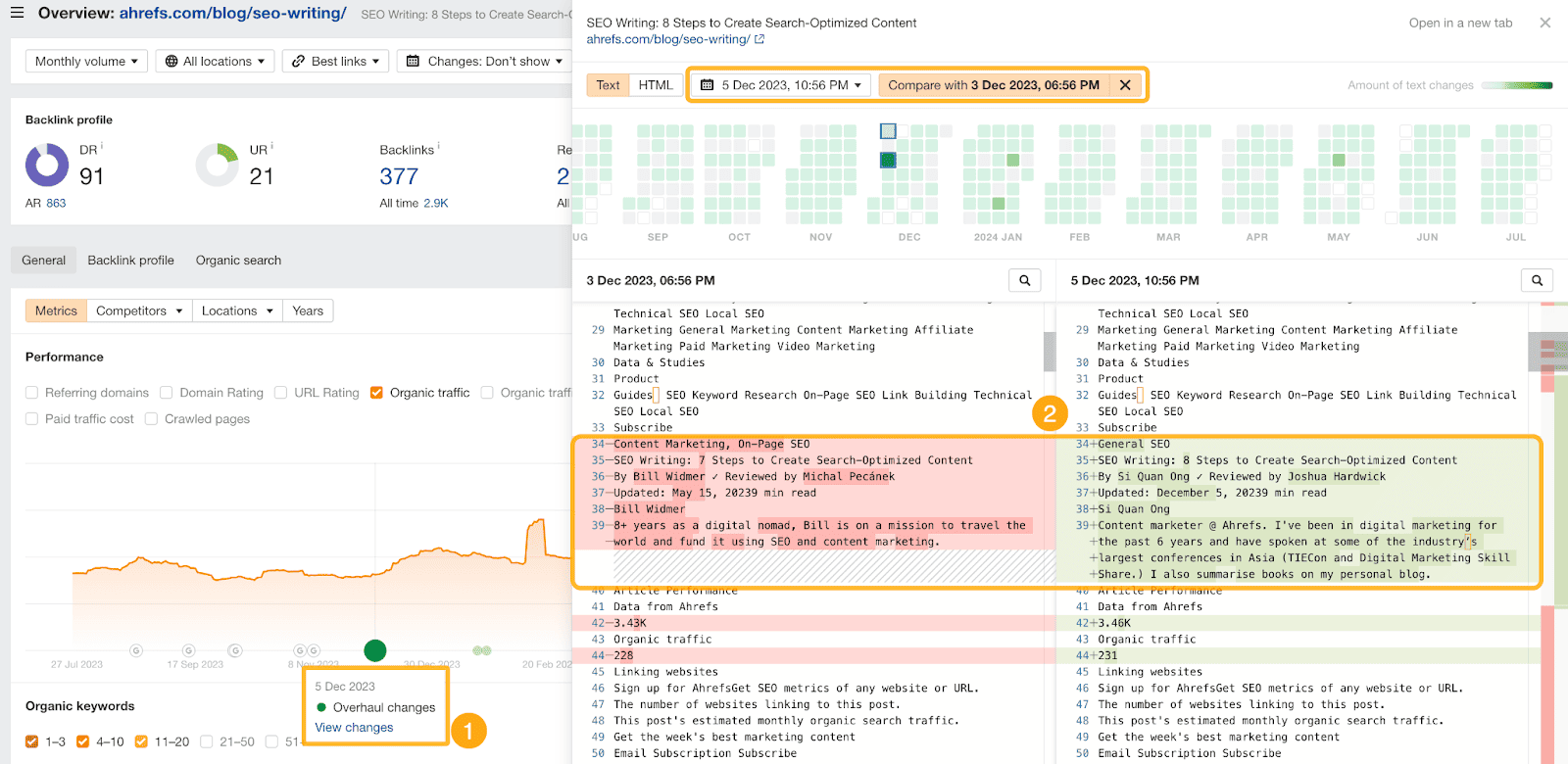
Step 4. Click on View pages to open the page in Page Inspect
You’ll see a side-by-side comparison of the content changes.
Step 5. For extra info, open the Top Pages report
Here you’ll see all of the “money” pages. Pick two dates to compare the change in pages. Then check the Content changes column.
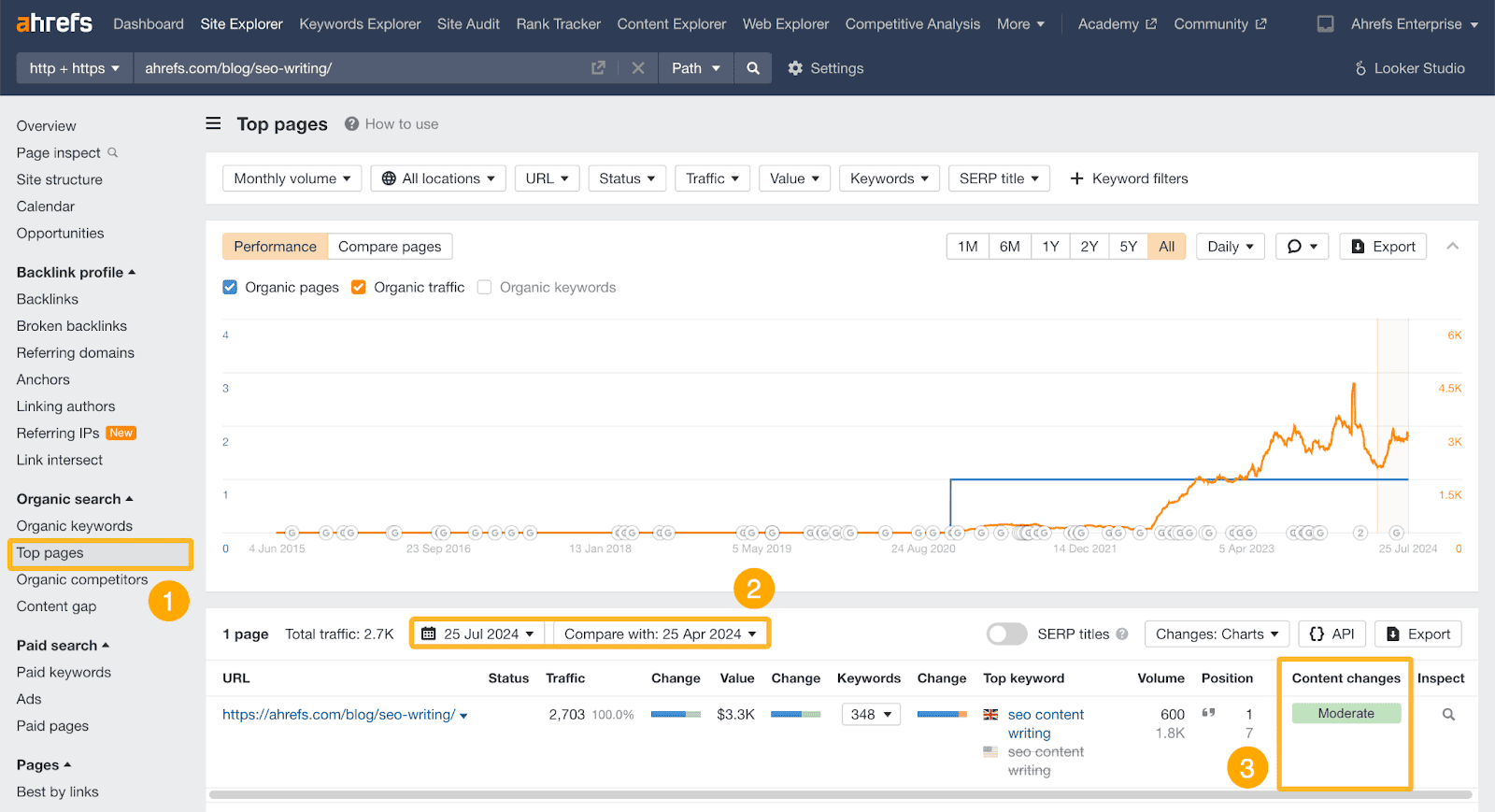
See if the content changes are responsible for traffic spikes or dips.
Then you’re ready to plan your own content updates, prioritizing the ones that are likely to have the biggest impact on traffic (and revenue).
-Jeremy
Thanks to Ahrefs for sponsoring this issue of SEO Power Plays! It’s never been easier to start than with the new $29 starter plan.