
It’s the nightmare scenario that keeps marketing directors awake at night. You pour budget into a sleek new site. You launch. Then, your traffic flatlines.
Website redesigns kill organic traffic more often than they boost it. Usually, it’s because the SEO strategy was an afterthought. But it doesn’t have to be that way, especially if you prioritize website redesign SEO.
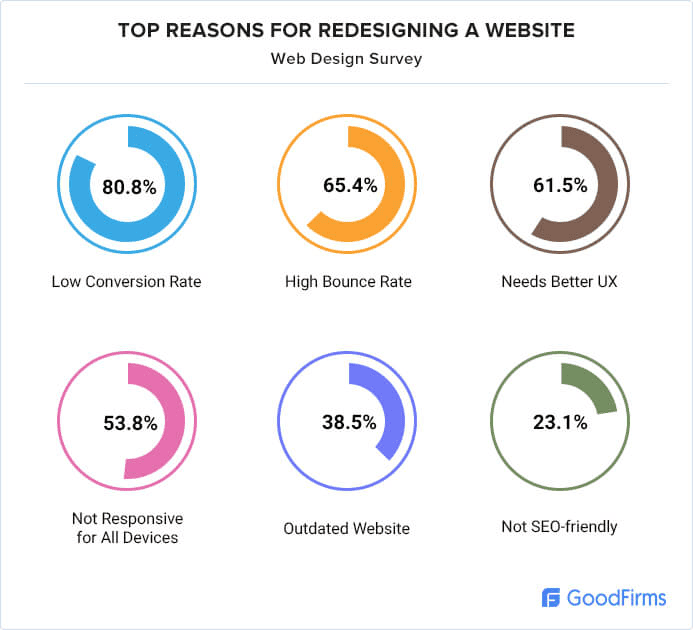
According to research by GoodFirms, 80.8% of web designers cite low conversion rates as the main reason for a redesign. Chasing conversions is smart. But ignoring your existing search rankings? That’s dangerous. You need a plan that protects your visibility while upgrading your look and customer experience.
This article provides a website redesign SEO framework to safeguard your Google rankings. We cover 15 critical steps to help you capture new opportunities without sacrificing your standing.
By the end of reading this, you’ll have a step-by-step SEO-first framework you can save and reuse for any website redesign.
Highlights
- Most redesigns fail because teams prioritize aesthetics over SEO strategy, resulting in broken URL structures and lost rankings.
- Get baseline data from Google Analytics and Google Search Console before making any changes.
- A comprehensive redirect map using 1:1 301 permanent redirects is your best defense against traffic drops.
- Bake technical performance, like Core Web Vitals and page speed, into development. Don’t try to fix it after launch.
- Monitor organic traffic and keyword rankings hourly for the first 48 hours to catch issues early.
Why most website redesigns fail from an SEO perspective
There’s a disconnect that starts in the boardroom. Design teams obsess over page layout. Developers focus on code, and advertising teams fear downtime and lost revenue.
Often, the SEO strategy gets lost in the shuffle. Unfortunately, this misalignment leads to fatal errors that take time to fix and recover traffic loss.
Common pitfalls include changing your URL structure without a redirect map, launching with broken links, or accidentally blocking search engines with a rogue meta robots tag. If you change your URLs without telling Google, you sever the connection to your history. Years of authority and link popularity can vanish in an afternoon.
Phase 1: Pre-redesign SEO audit and planning
The first step isn’t to decide on a new style or font. You need to understand what you currently have. This phase is about gathering intelligence to measure success later.
Step 1: Establish your baseline performance data
Start by pulling data from your tracking tools. You need a snapshot of organic traffic, keyword rankings, and conversion rates before working on any changes.
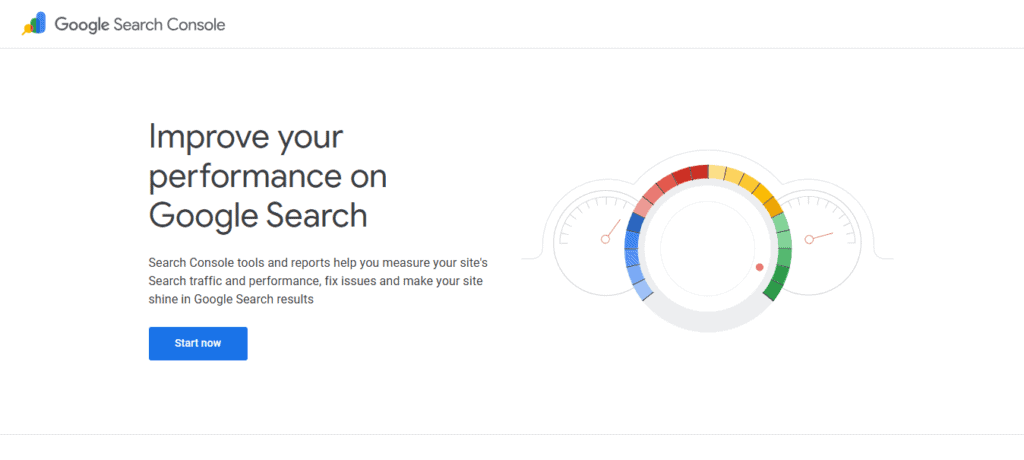
Check Google Analytics and Google Search Console and identify your top pages. These are assets you must protect. Document which keyword phrases drive visitors and which pages have the highest engagement.
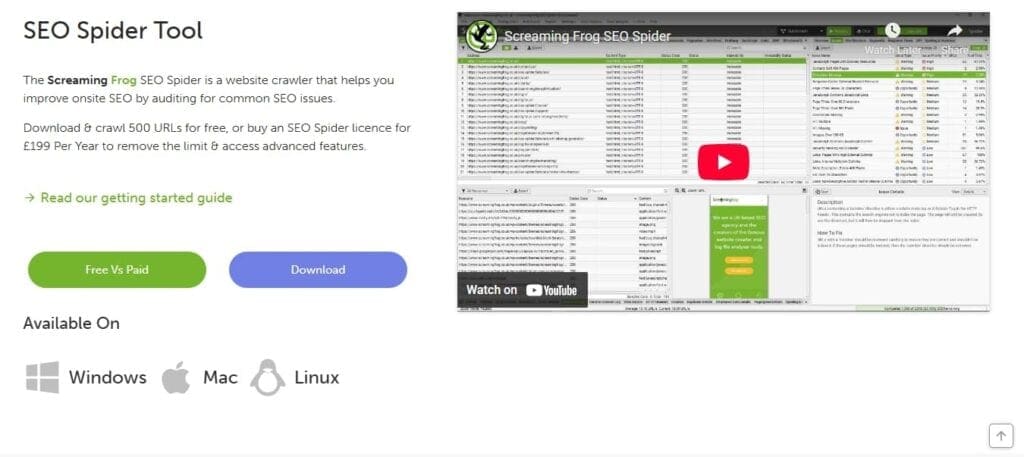
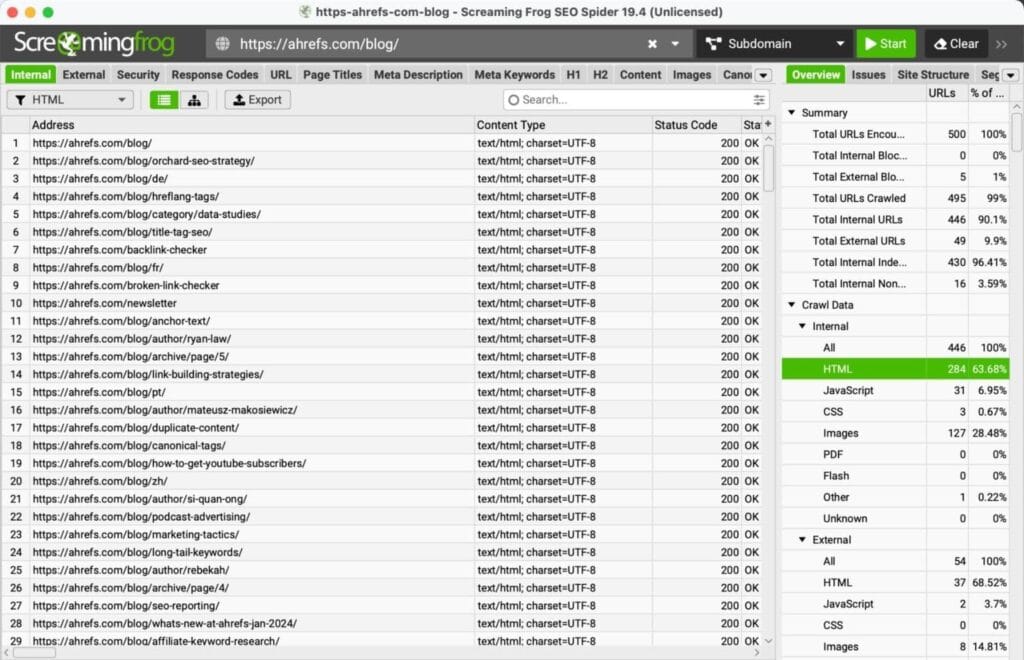
Next, use Screaming Frog to crawl your site. Get a list of all URLs and meta titles. This becomes your reference point for when migration or redesign gets chaotic.
Knowing how your site performs today is the only way to save your search engine rankings tomorrow.
Step 2: Conduct a complete content audit
Not every page deserves a spot on the new site. In fact, you might need to do some content pruning. Decide what to keep, consolidate, or retire.
Start by finding your high-value pages. These are your traffic drivers and backlink magnets. Catalog them to ensure they move with their content quality intact. If you have low-quality pages with zero traffic and no inbound links, it’s safer to delete them.
Quality content should be your number one SEO power play. Remove or rewrite any pages that are spammy or out of context with the rest of the site.
Document existing meta descriptions and target keywords for pages you keep. Export your backlink profile to see where external authority points. You definitely want to keep these; otherwise, you might lose your domain rating or authority.
Step 3: Perform a technical SEO audit
Your new site must be faster than the old one. To do that, you need to know your current technical debt. Run a technical SEO audit to spot crawl errors or slow load times.
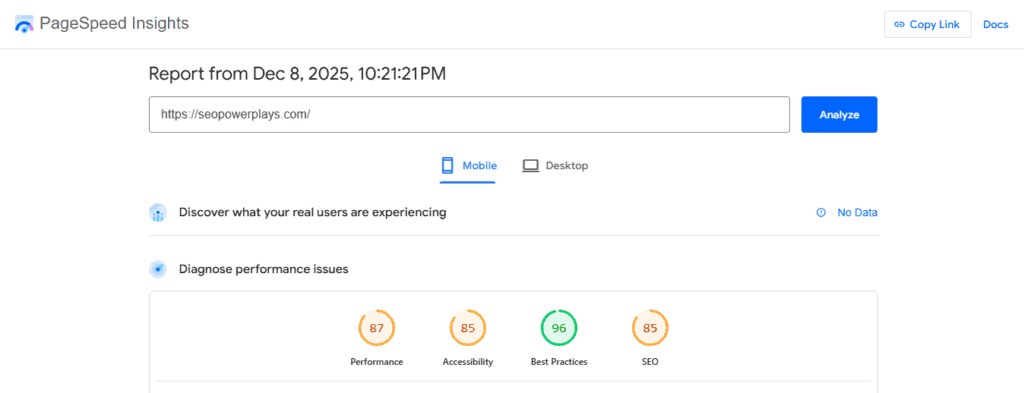
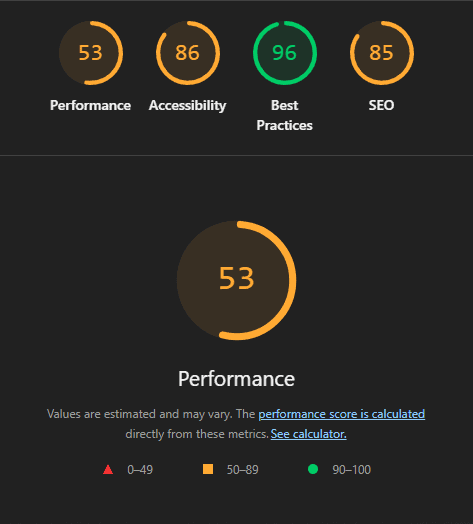
Use PageSpeed Insights to check site speed and Core Web Vitals. Google’s Core Web Vitals confirms these metrics are ranking factors. If your current site drags, prioritizing speed in the new design is non-negotiable.
This means you need to lower your largest content paint (LCP) and interaction to next paint (INP).
Then, review internal linking and URL structure. Look for broken links or redirect chains. Check if page templates are hard to read on mobile. Give your website developer a list of problems to solve so you don’t migrate old issues to a new home.
Step 4: Document your current site structure
Map out your site architecture and navigation. You need to see how users and search engines navigate your website.
One way to do this (aside from heatmaps) is to record your internal link structure. Note which pages link to important products. When you redesign, maintain these pathways. Don’t destroy them, as this is how to keep visitors on your site. Capture details about structured content and page types.

Create a master inventory of all URLs. This is the foundation of your redirect map. Miss a URL here, and you risk creating a 404 error page later.
Phase 2: Design and development with SEO built in
Now’s the fun part, because it’s time to build your redesign. As you go through phase 2, remember to keep your SEO strategy running in parallel to design.
Step 5: Create your URL mapping and redirect strategy
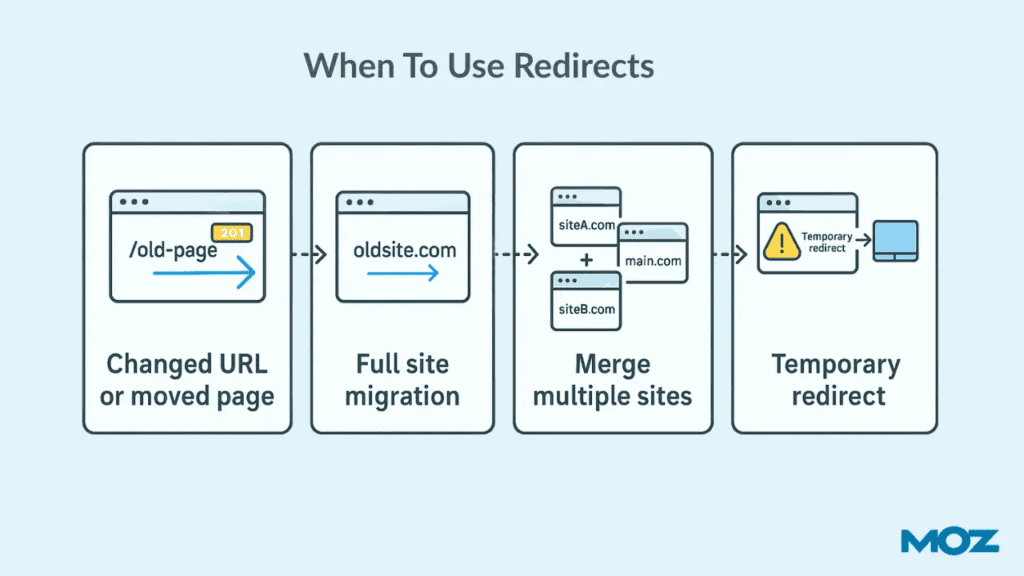
This is the most critical step in SEO for website redesign. Build a URL redirect map that matches every old URL to a new one.
This goes without saying, but if possible, don’t change any URLs.
If necessary, use 301 permanent redirects. Do not use 302s, as they don’t pass full link equity. Aim for a 1:1 match. If you remove a page, redirect to a relevant category. Don’t redirect everything to the homepage as Google treats that as a soft 404.
Most importantly, avoid redirect chains. This happens when URL A goes to B, then to C. It dilutes value and hurts page speed. Ensure every redirect is a single hop. This keeps your URL structure consistent, which makes crawling easier.
Step 6: Optimize new site architecture for crawlability
A beautiful site is useless if Google can’t crawl it. That’s why you need a hierarchy that makes sense. Design a navigation path that enables users to find key products in just a few clicks.
Be smart about your internal link structure. Your homepage has the most power, so use it. Link to your most competitive pages and don’t bury any critical pages.
If you have a SaaS platform, don’t hide your pricing and features pages. If you’re a startup designer, don’t hide your portfolio. Showcase pieces of them on your homepage or, at the very last, link to them.
A “flat” architecture helps search bots crawl efficiently. Also, verify your page layout follows mobile-first principles. Google looks at mobile first. In fact, Google’s Core Web Vitals results page defaults to the mobile tab. If your menu hides links on phones, your search engine optimization suffers. Keep it clean and accessible.
Step 7: Maintain (and improve) on-page SEO elements
It’s easy to lose details when moving content.
Ensure your optimized page titles and meta descriptions transfer correctly. These are like your ads in the search engine results.

Screenshot provided by author
But, just like ads don’t work if the landing pages don’t match, you need to preserve content quality. If you rewrite copy, keep the core keywords the page ranks for. Ensure your heading hierarchy (H1, H2, H3) uses keywords naturally.
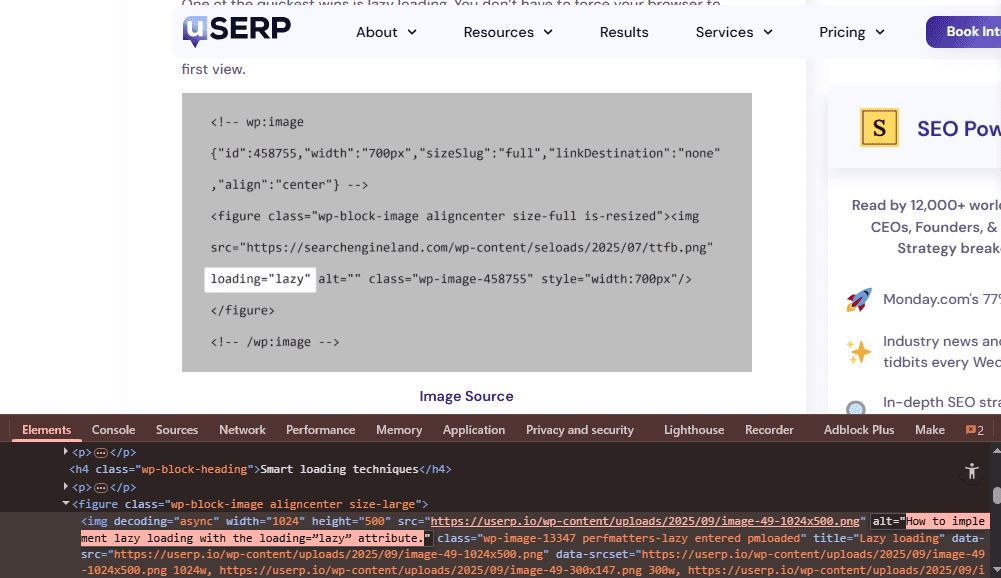
And don’t forget images. Optimize image alt text and file names. If the new design changes image sizes, check aspect ratios. Consistency here helps stabilize keyword rankings.
Step 8: Prioritize technical performance
Performance isn’t a feature you add later. It’s the foundation. Optimize for Core Web Vitals from the first sprint, because a slow site reduces conversion rates.
Implement lazy loading and add a content delivery network (CDN) like Cloudflare. Strip out unused code with tools like Asset CleanUp Pro for WordPress. Then, optimize images to improve sight performance.
Test page speed constantly using Google PageSpeed Insights or LiteSpeed. Even a fraction of a second matters.
Screenshot provided by author
Phase 3: Pre-launch preparation and testing
The site is built. But you aren’t ready to launch. Test rigorously in a safe environment first.
Step 9: Implement and test all 301 redirects
Deploy your redirect map on staging before you flip the switch.
Test every redirect. Use Screaming Frog to check response codes. Verify that all 301 permanent redirects now point to live 200 OK pages.
Check for redirect chains and manually double-check high-value pages. These money pages drive revenue, so make sure they land where they should.
Step 10: Configure robots.txt and meta robots tags
There’s a common reason for post-launch traffic drops. It’s accidental “noindex” tags.
Staging sites should have a meta robots tag set to “noindex”. But you must prepare your production robots.txt to remove blocks when you go live. So, verify you aren’t blocking resources like CSS.
Test with the Google Search Console tester. Ensure your sitemap is declared and that you’re not “noindex”-ing custom types like portfolio, blog, or case studies. A clean robots file invites crawlers in. A restrictive one kills organic traffic.
Step 11: Set up canonical tags and XML sitemap
Canonical tags tell search engines which URL is the master copy. Ensure every new page has a self-referencing canonical tag. This prevents duplicate content issues from the dynamic URL structure.
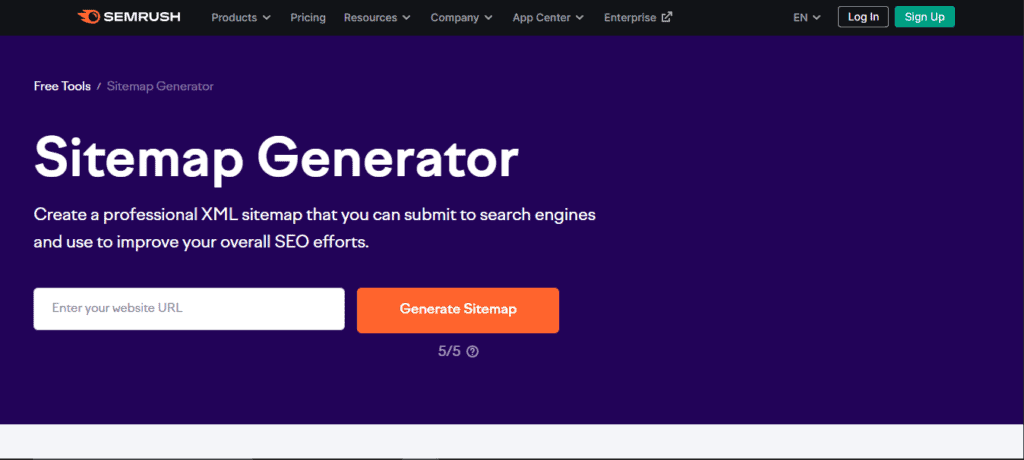
Generate a new XML sitemap and include only clean, indexable URLs. No redirects and no 404s.
Make sure to include priority pages. You’ll submit this immediately after launch to help Google discover content. A good sitemap is a roadmap for crawlers to navigate your new website.
Step 12: Create your custom 404 error page
Some users will hit a dead end, and a generic error page kills conversions. To solve this, create a custom 404 error page to keep them around.
Don’t forget to add navigation back to the homepage. Include a search bar so visitors can find the page they’re looking for.
After launch, monitor 404 error page hits. A spike usually means you missed a section in your redirect map. Fix it quickly to recover traffic.

Phase 4: Post-launch monitoring and optimization
Launching is just the beginning. From the moment you go live, you must monitor data hourly to spot issues that slipped through testing.
Step 13: Submit your new sitemap and monitor Google Search Console
Log in to Google Search Console and Bing Webmaster Tools immediately. Submit your new sitemap within the first 48 hours.
Watch the coverage report. You want indexed pages to rise and excluded pages to stabilize. Look for server errors.
Then, use the URL Inspection Tool to verify critical pages. If Google can’t see your content, you won’t rank. Catching crawl issues early prevents a dip in search rankings.
Step 14: Track traffic and rankings like a hawk
Now’s the time to set up your new Google Analytics 4 goals. Verify that conversion tracking is working and monitor organic traffic hourly for two days. Then switch to daily. Drastic drops in traffic indicate failure.
Track keyword rankings, too. If you see a drop, investigate. It could be a content issue or a missing redirect.
In the meantime, monitor the average time on page and compare it to its pre-redesign level. According to the American Psychological Association, the average attention span on screens went down from 75 seconds in 2012 to 45 seconds in 2023. You definitely don’t want your visitors’ attention span to drop even further after you go live.
Step 15: Conduct post-launch link audit and cleanup
Live environments behave differently from staging. Crawl your site with Screaming Frog again.
Don’t forget to proactively remove toxic backlinks. This is one of the core principles that SEO experts live by.
Find new broken links. Fix internal links pointing to old URLs by redirecting them to the new pages. This reduces server load and prevents fetching old or non-existent pages, which could result in 404 errors.
Monitor inbound links. If high-authority sites link to dead pages, contact them and ask them to update the links to the new, correct page. Use SEMrush’s Backlink Audit Tool to check the health of incoming links.
Ready to master SEO for your next redesign?
Website redesign SEO is not just a precautionary measure. It’s the foundation for turning a visual upgrade into a performance win.
By following a disciplined, 15-step process—from pre-launch audits to post-launch monitoring—you can prevent catastrophic traffic drops and position your new site for long-term growth.
Subscribe to SEO Power Plays for weekly insights and to stay ahead of algorithm updates. Don’t leave search engine rankings to chance. Learn SEO and become a master at generating authentic organic traffic at scale.